๐Ÿ›ก
TPE Backup
BY TECHNOPLANET ENTERPRISE
โ˜… THE ONLY SOLUTION OF ITS KIND

Bring your cloud
drives home.

The ultimate backup for Local and Cloud data โ€” OneDrive, Google Drive & Dropbox โ€” streamed automatically to your own on-premise servers.

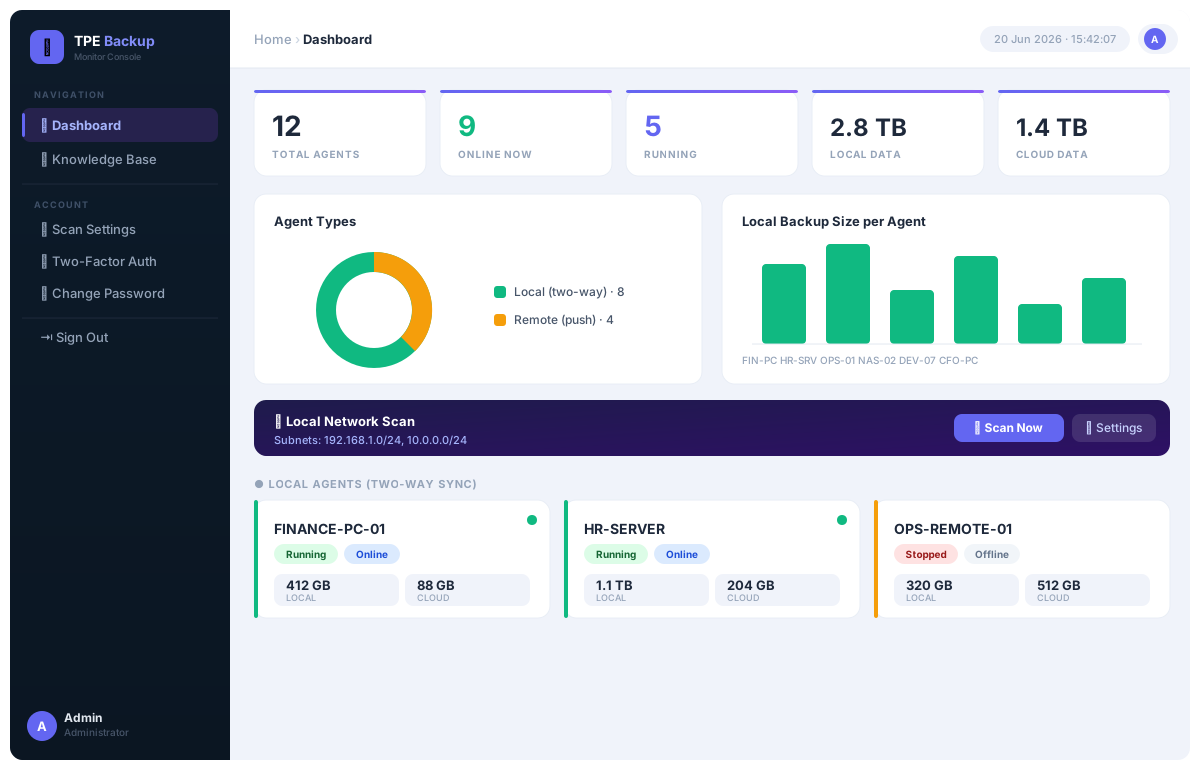
Monitoring dashboard
Ultimate backup application for Local & Cloud data to your on-premise storage www.technoplanet.enterprise
The Problem & The Solution

Why on-premise?

02

โš  Cloud-only is a risk

  • One billing lapse and your account is locked
  • Provider outages take your files offline
  • Ransomware & accidental deletes sync everywhere
  • Rising subscription fees, year after year
  • Your data lives on someone else's computer

โœ“ TPE Backup brings it home

  • A private copy on hardware you control
  • Works even when the internet is down
  • Resume-safe, checkpointed cloud sweeps
  • No per-seat cloud tax โ€” your storage, your rules
  • Your data, your building, your control
Our unique advantage

The only company that backs up Local and Cloud drives to on-premise

Others back up your PC. Or they sync your cloud. We are the only one that pulls OneDrive, Google Drive and Dropbox down onto the storage device sitting in your office.

Everything in one agent
๐Ÿ—‚

Any local source

Folders or whole drives โ€” local, USB or mapped network paths.

โ˜

Every major cloud

OneDrive, Google Drive & Dropbox, each in its own backup folder.

๐Ÿ’พ

Flexible targets

Local drive, UNC share, FTP/FTPS or SFTP destinations.

โ™ป

Resume-safe

Checkpointed sweeps pick up exactly where they stopped.

๐Ÿ“Š

Central monitor

One web console watches every agent on your network.

๐Ÿ›ก

2-FA secured

TOTP two-factor login protects the management console.

The Desktop Agent

Set it up in minutes

03

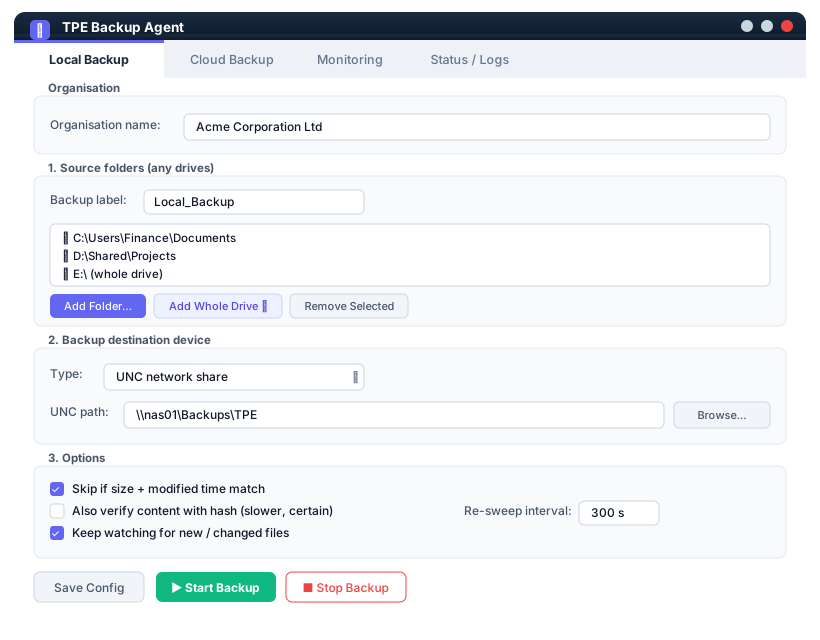
Tab 1 Local Backup

Pick folders or whole drives, choose your destination device (UNC / FTP / SFTP), and set the re-sweep interval.

Local Backup tab

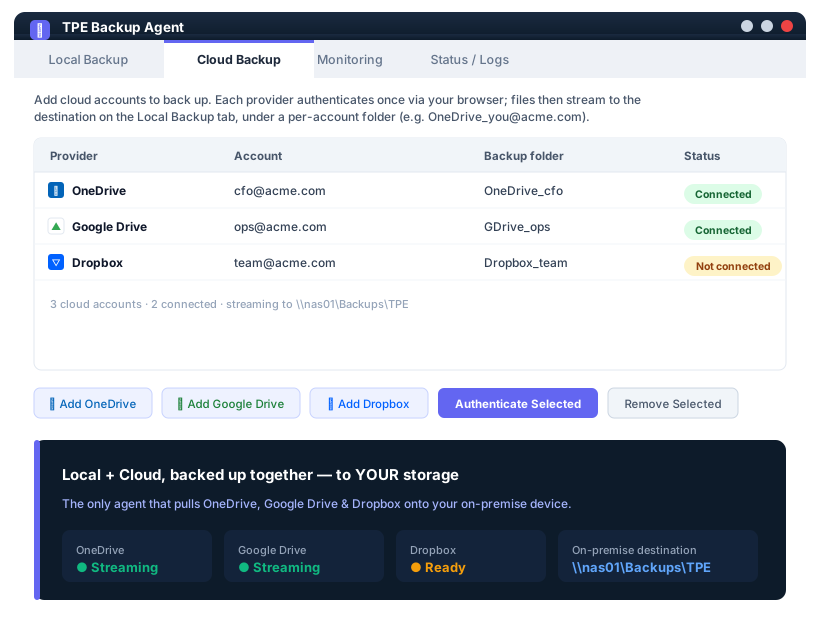
Tab 2 Cloud Backup

Add OneDrive, Google Drive & Dropbox accounts. Authenticate once; files stream to your on-premise storage.

Cloud Backup tab

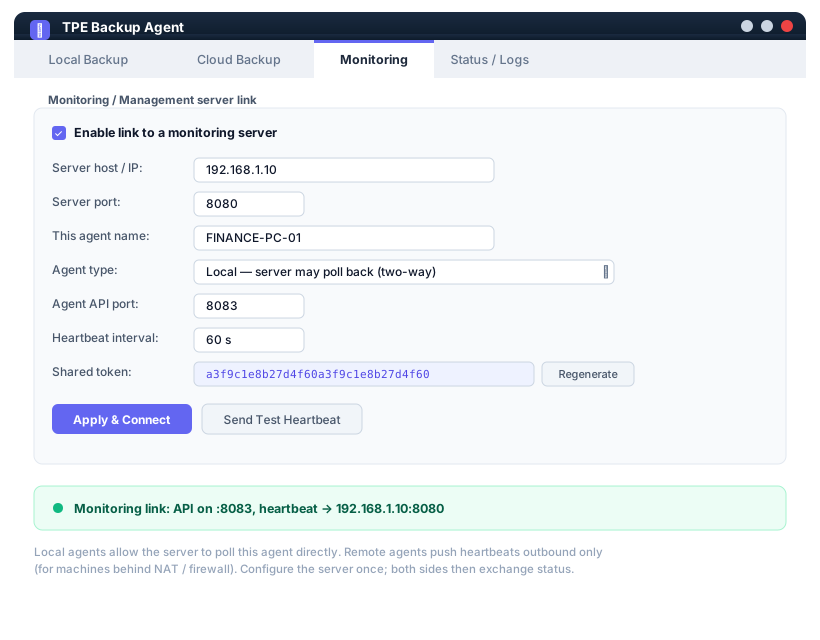
Tab 3 Monitoring

Link the agent to your central server โ€” two-way (local) or push-only (remote) โ€” with a shared security token.

Monitoring tab

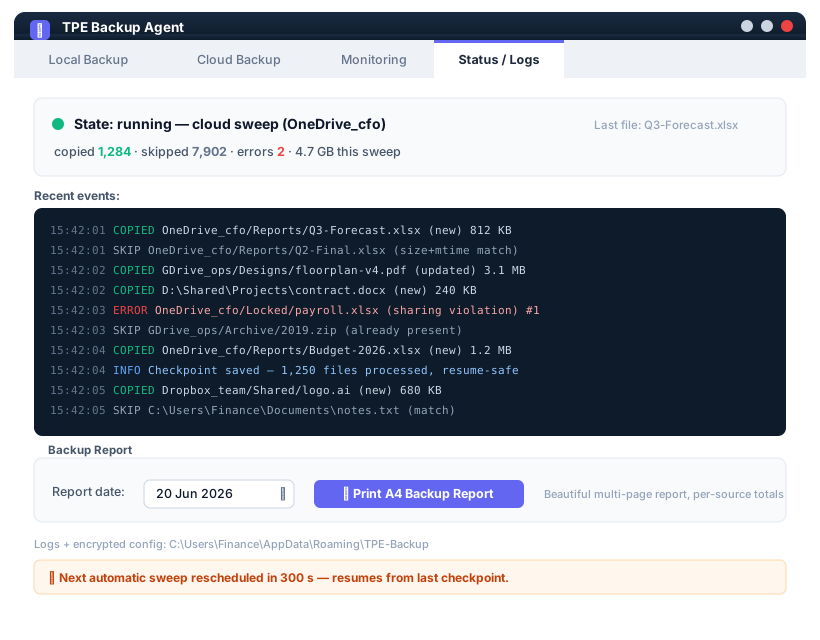
Tab 4 Status / Logs

Live counters, a colour-coded event stream, and a one-click A4 backup report for any date.

Status and Logs tab
๐Ÿ—‚๏ธ

Four tabs. One lightweight installer. Zero scripting.

Local files and all three clouds run on the same shared schedule, stream to the same on-premise destination, and every sweep is resume-safe โ€” stop and start any time without losing your place.

3Clouds
4Targets
1Console
Monitoring & Management Server

Command every agent

04
1

Discover

Scan your subnets and find every TPE Backup agent on the LAN automatically.

2

Monitor

Live KPIs, charts and per-agent status โ€” online, running, data sizes, errors.

3

Secure

Two-factor login and read-only file views keep the console locked down.

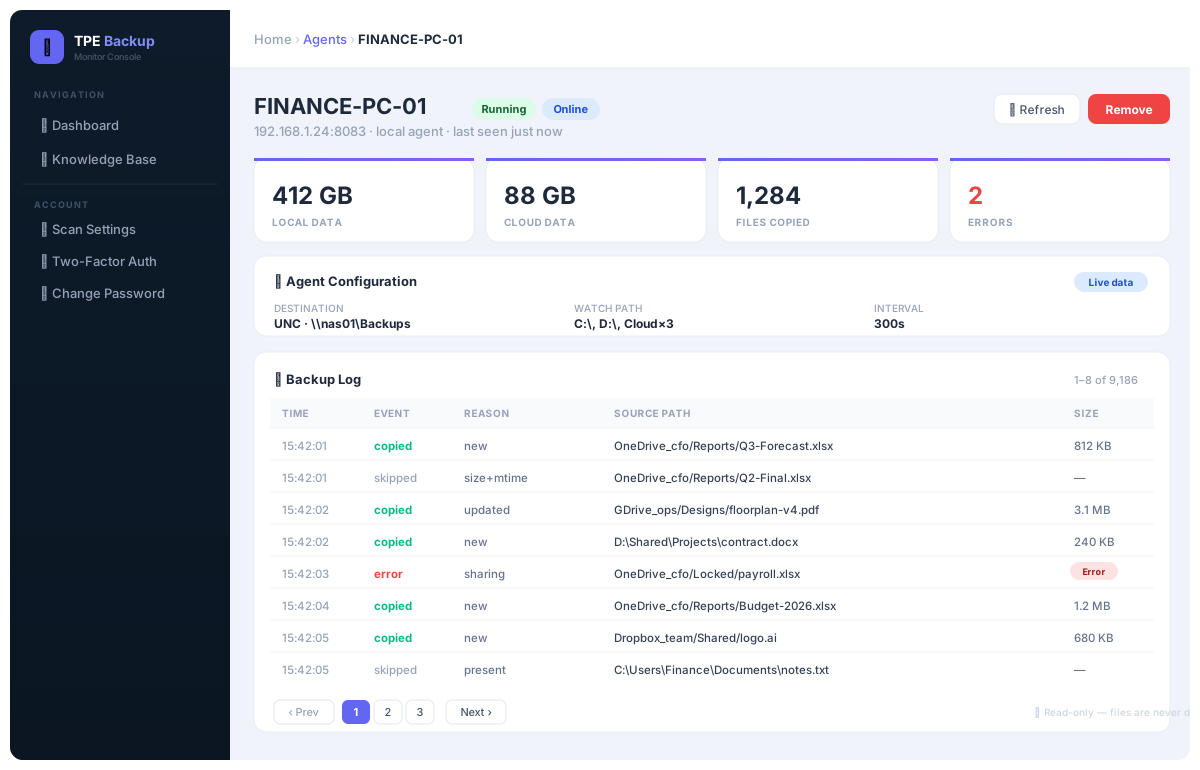
Console User & Agent Page

Drill into any machine: data totals, configuration and a fully paged, read-only backup log.

Agent / user detail page

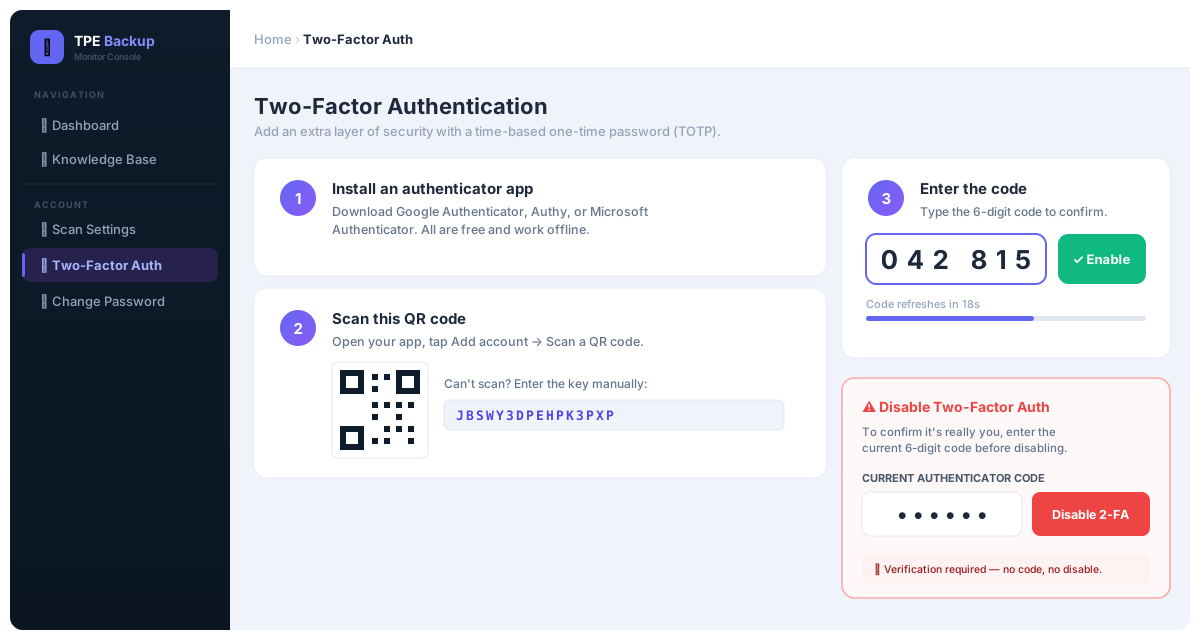
Security Two-Factor Auth

Scan, verify, done. Disabling 2-FA even requires a fresh code โ€” security that can't be switched off by accident.

Two-factor authentication page
Why teams choose TPE Backup
โœ“ Unique Local + Cloud โ†’ on-premise capability
โœ“ OneDrive, Google Drive & Dropbox supported
โœ“ Resume-safe, checkpointed cloud backups
โœ“ Beautiful one-click A4 backup reports
โœ“ Auto-discovery of agents by subnet scan
โœ“ Two-factor secured web console

TPE Backup โ€” bring your data home, and keep it.

The ultimate backup application for Local and Cloud data to your on-premise storage. The only solution that protects your OneDrive, Google Drive and Dropbox on hardware you own.